 1 / 17
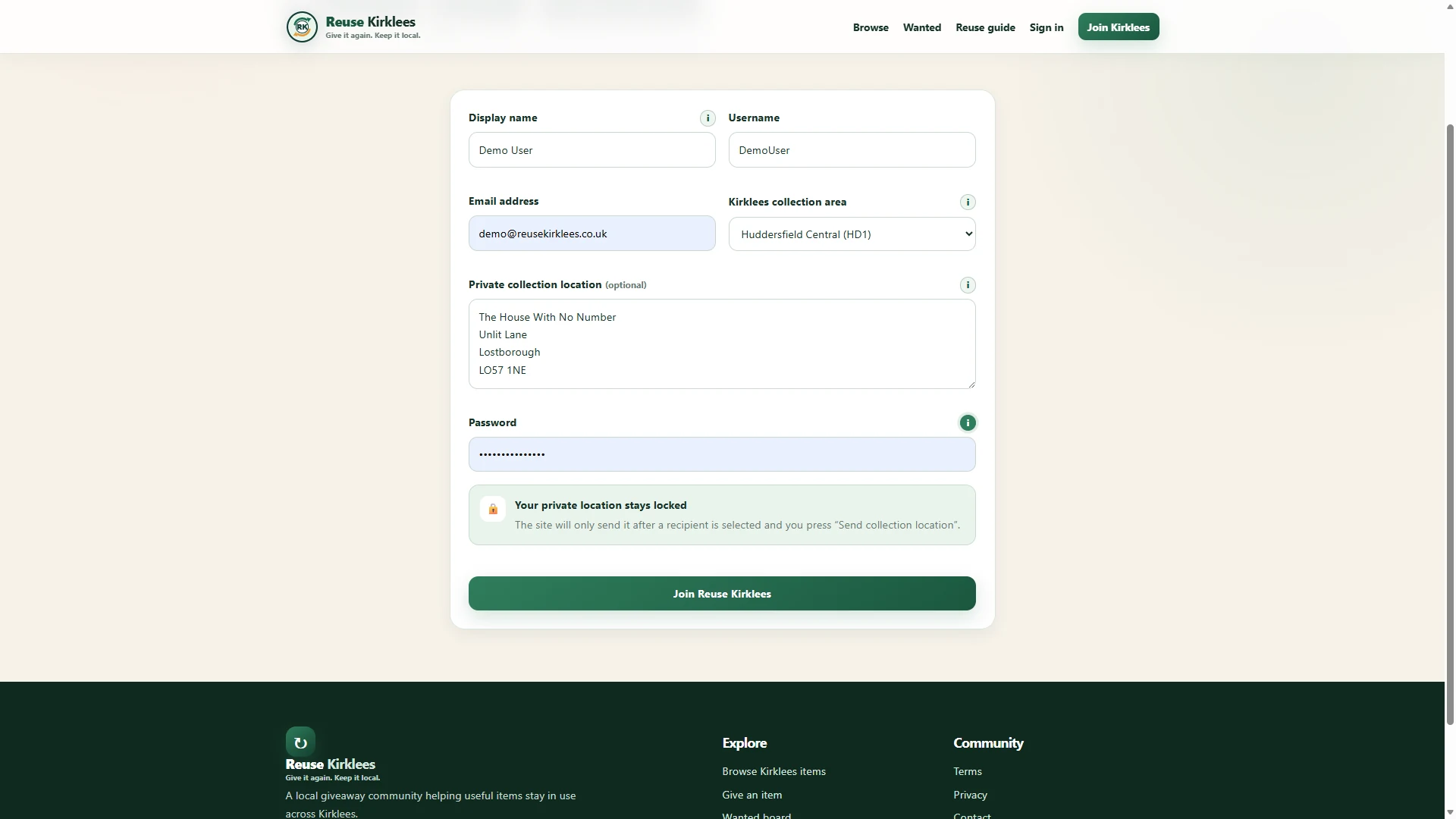
Create your Reuse Kirklees account
Choose your display name, username and broad Kirklees collection area. You can also save a private collection address, which stays hidden until you select a collector.
Follow a giver and collector from creating a listing through private messaging, collection and verified feedback.
1 / 17
Choose your display name, username and broad Kirklees collection area. You can also save a private collection address, which stays hidden until you select a collector.
 1 / 17
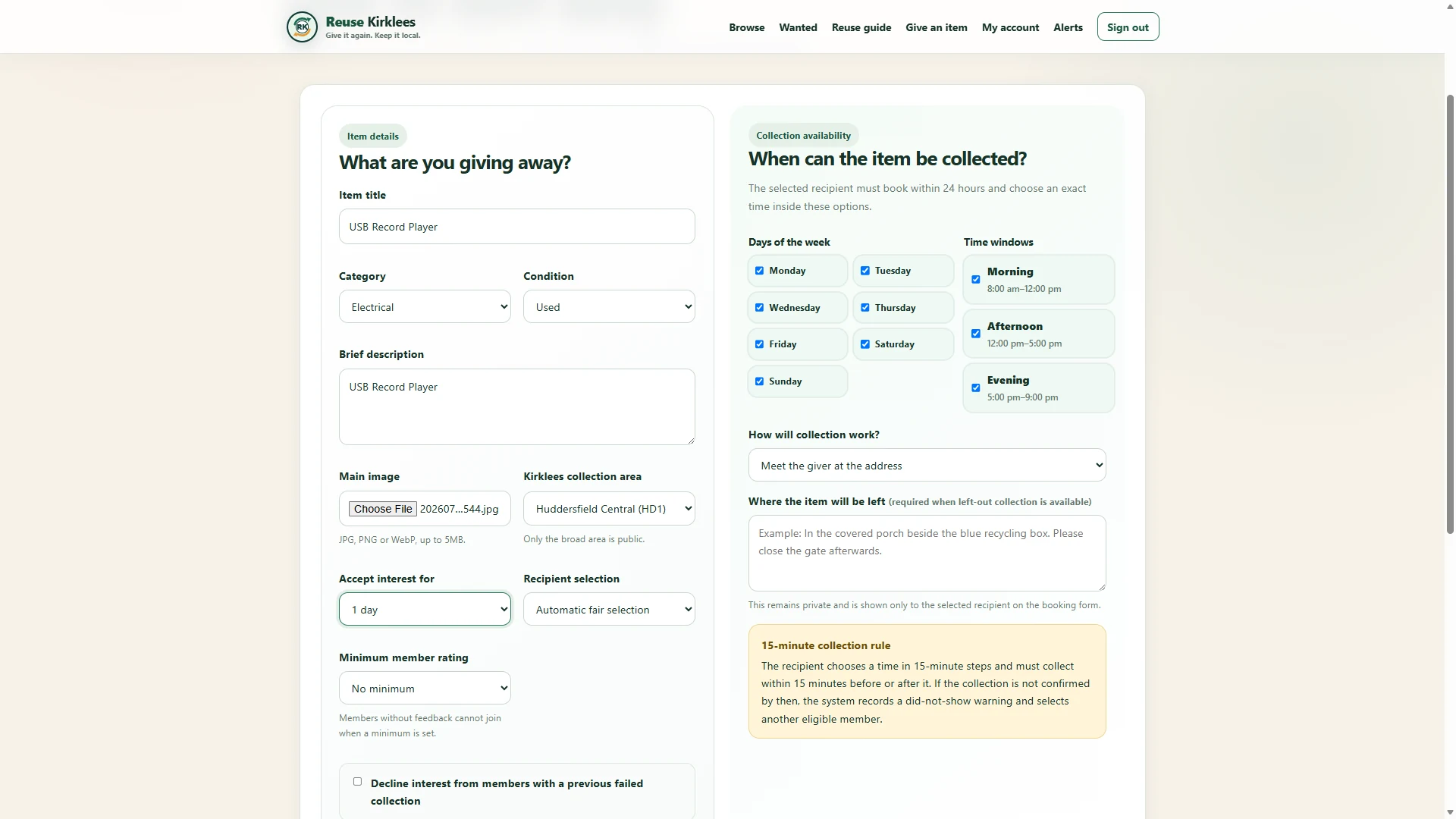
Add the item details, photograph and collection availability. With Automatic fair selection, the system chooses an eligible member when your selected interest period ends. You can still offer the item manually at any time while the listing is open.
 1 / 17
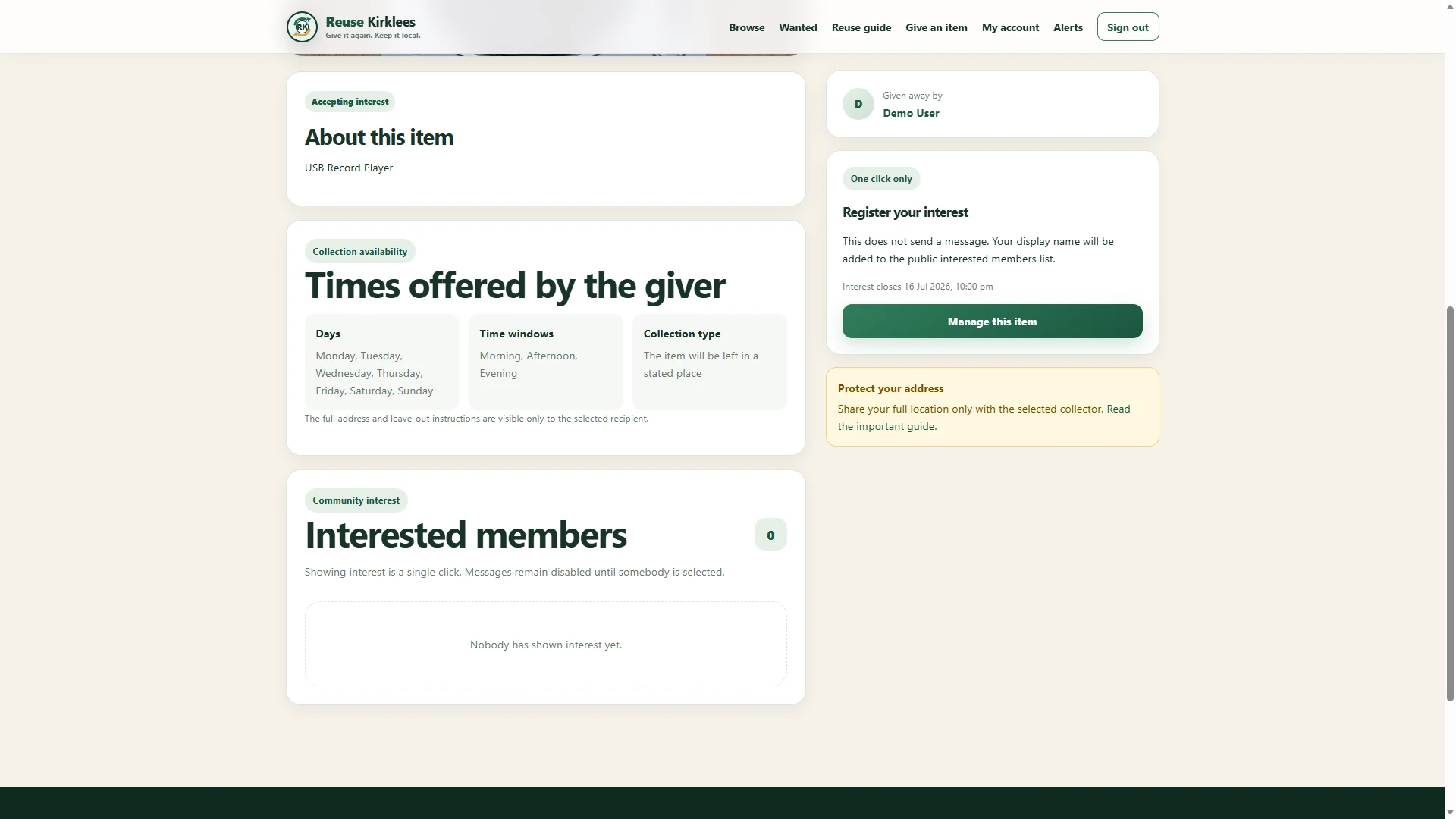
The live listing shows the item information and collection times you supplied. As members register interest, their names appear in the interested-members section.
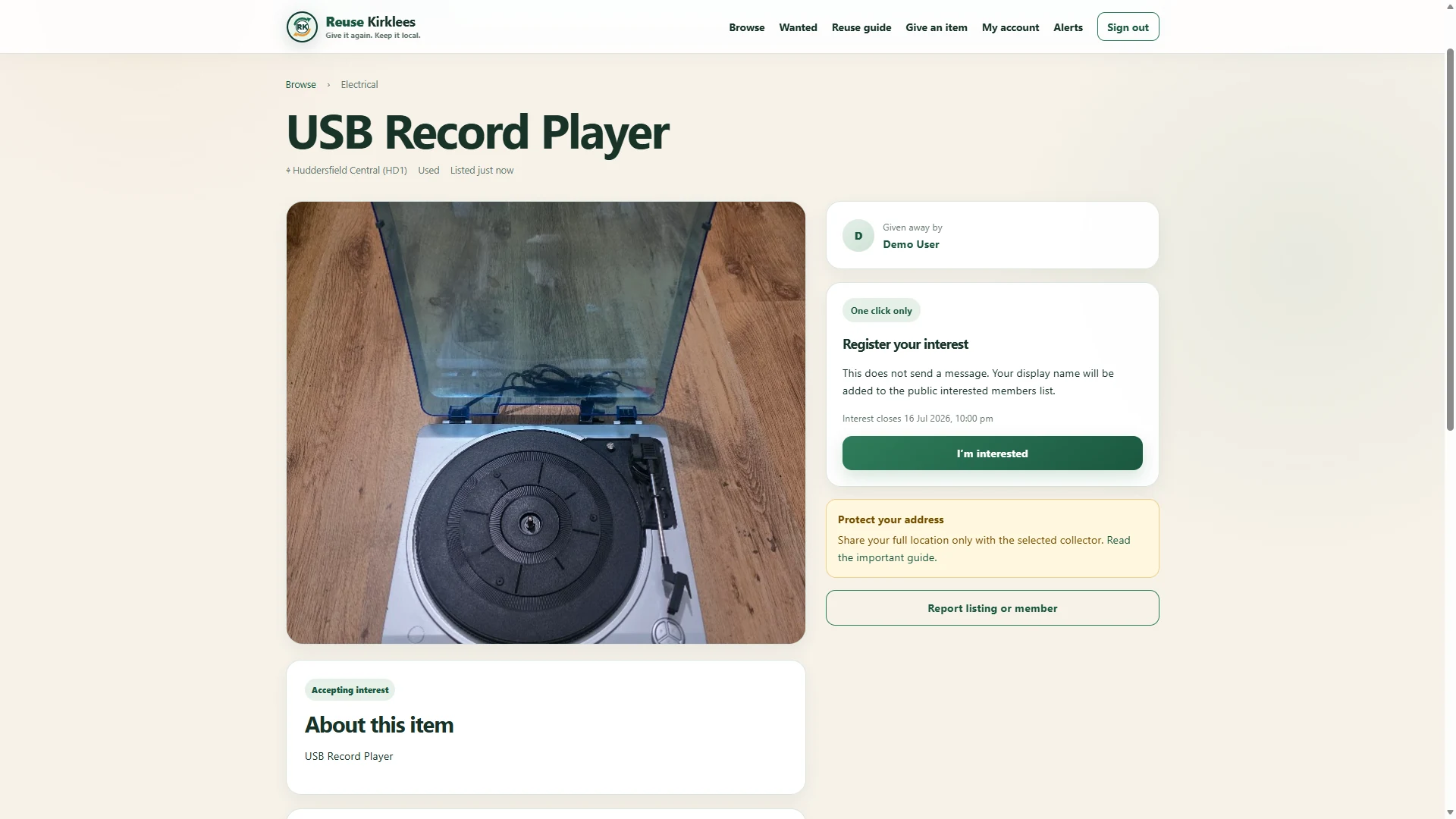 1 / 17
Signed-in members can view the photograph, description, broad collection area and offered times. The full address is never shown on the public listing.
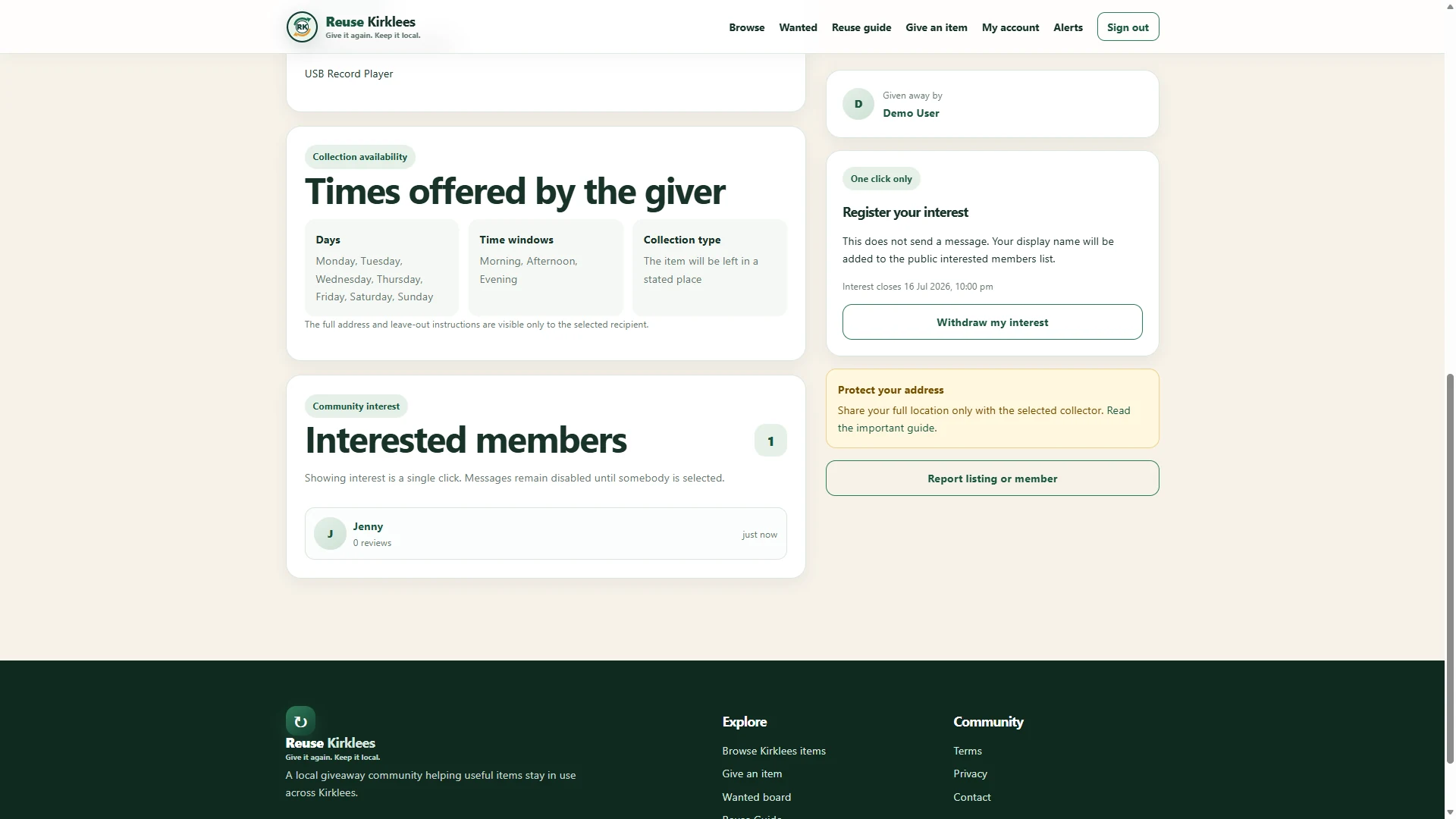 1 / 17
Pressing I’m interested adds the member to the public interested list. They can withdraw before selection if they change their mind, but showing interest does not guarantee the item.
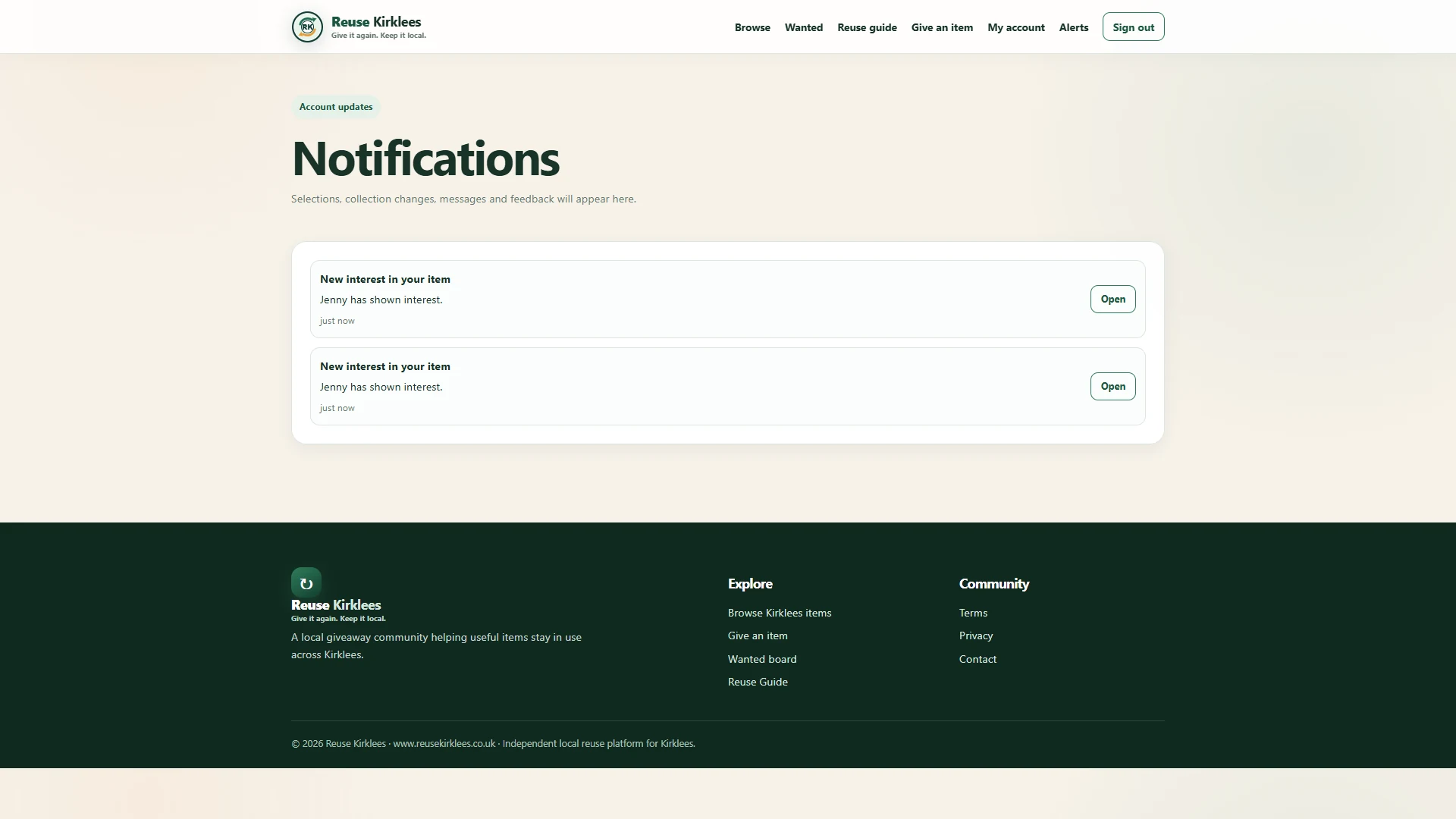 1 / 17
The giver receives an alert whenever a member shows interest. Private messages and the full address remain locked until one person is selected.
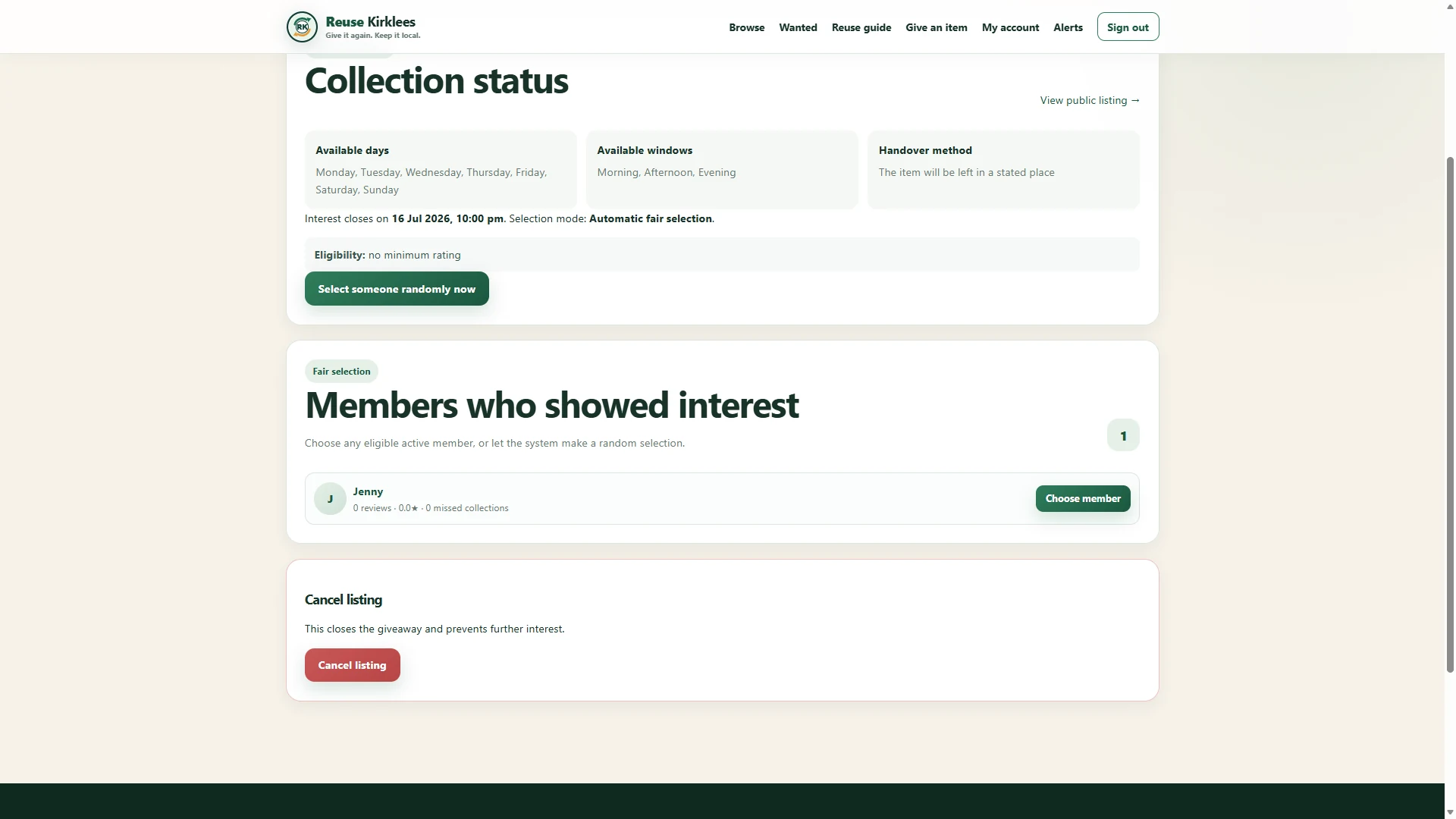 1 / 17
Automatic fair selection chooses one eligible member after the chosen interest time frame ends. The giver can instead choose an eligible member manually, or select someone randomly, at any time while the listing is open.
 1 / 17
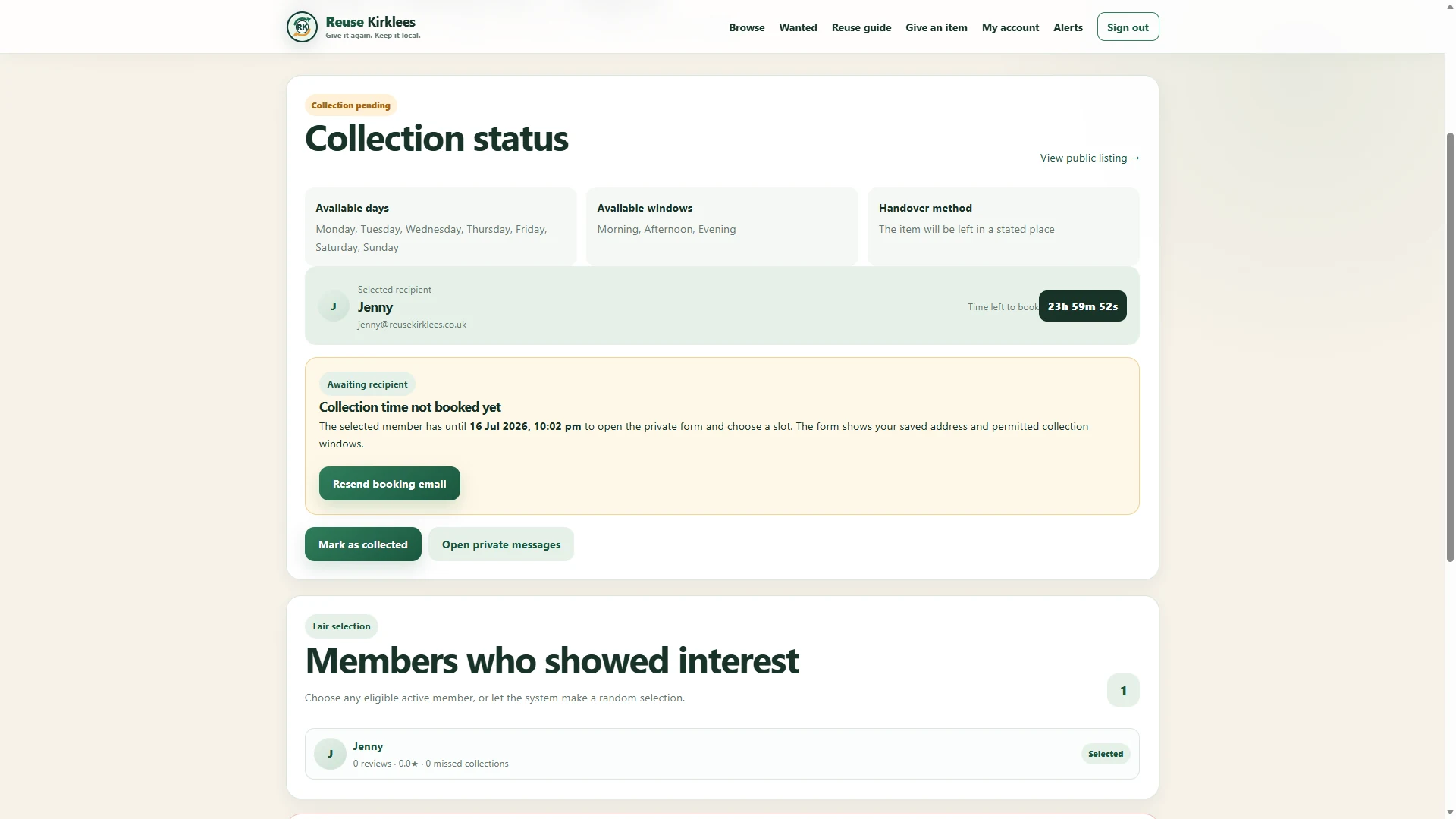
The giver can see the selected recipient and a live 24-hour countdown. The member must open their invitation and choose an exact collection slot before the deadline.
 1 / 17
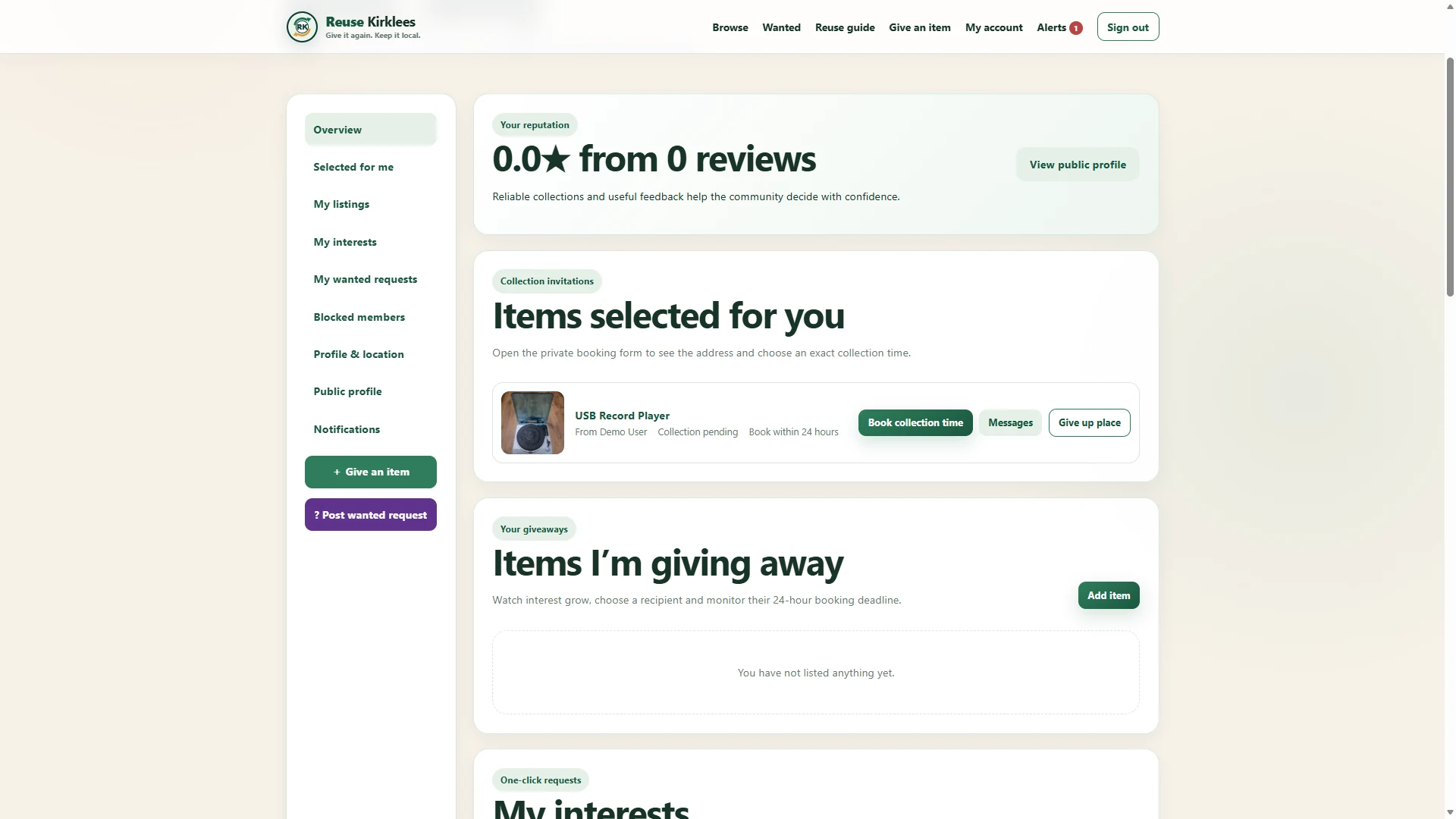
The selected collector can book a collection time, open private messages or give up their place if they can no longer collect. Only the chosen member receives these options.
 1 / 17
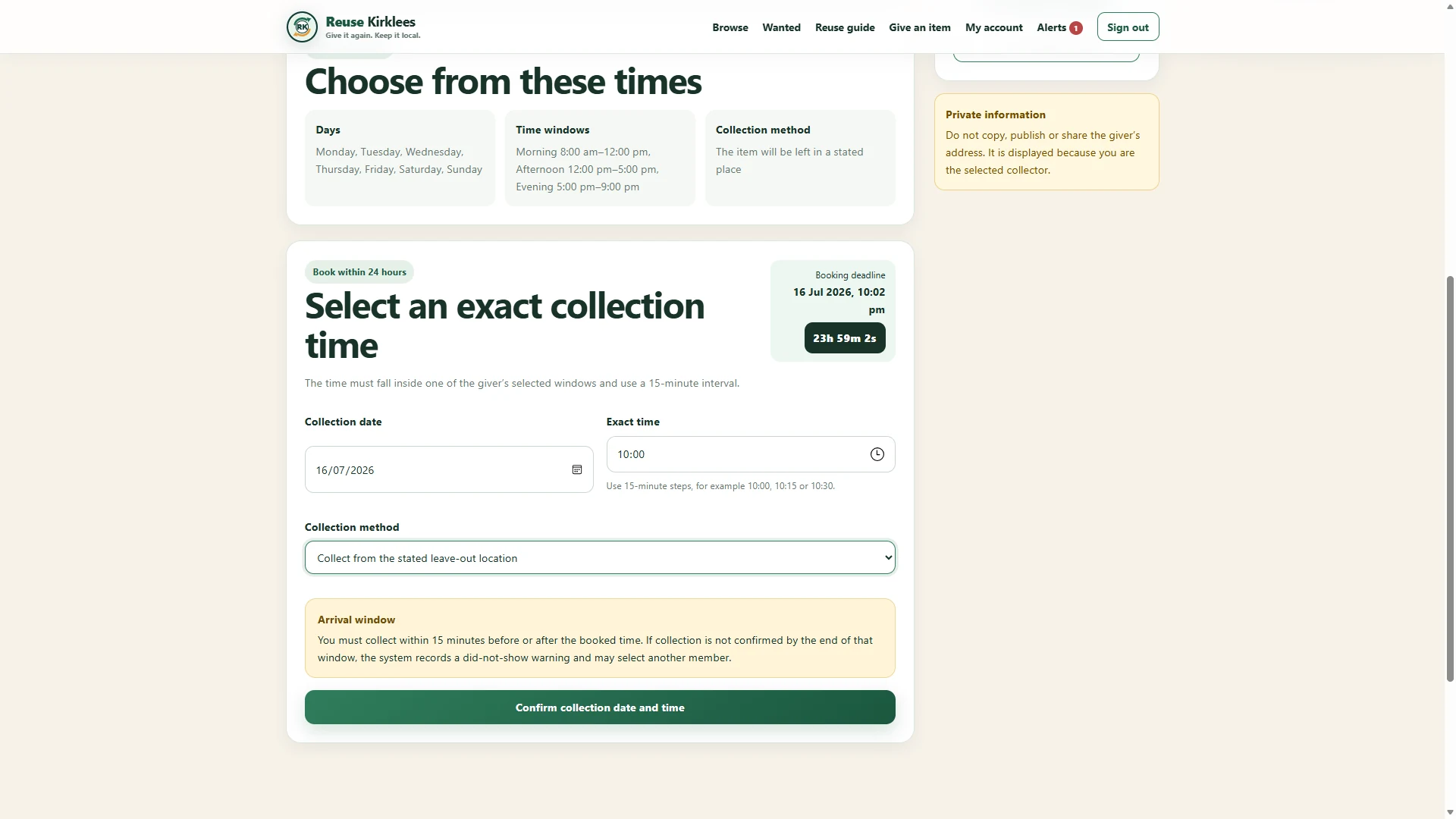
The collector chooses an exact time in 15-minute steps within the days and time windows offered by the giver. The booking must be completed before the 24-hour deadline.
 1 / 17
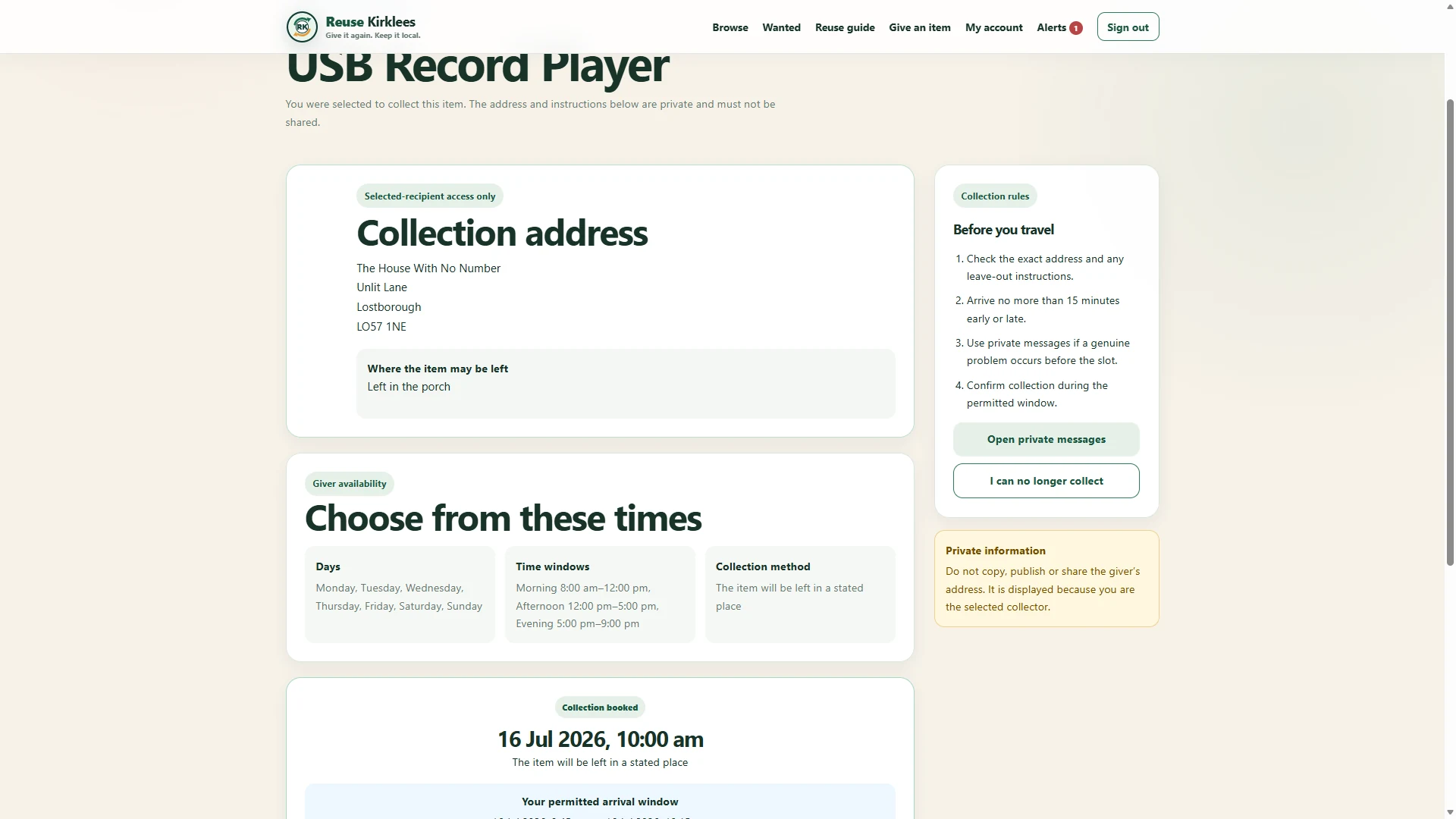
After booking, the selected collector can see the private address, leave-out instructions and confirmed appointment. These details must not be copied, published or shared.
 1 / 17
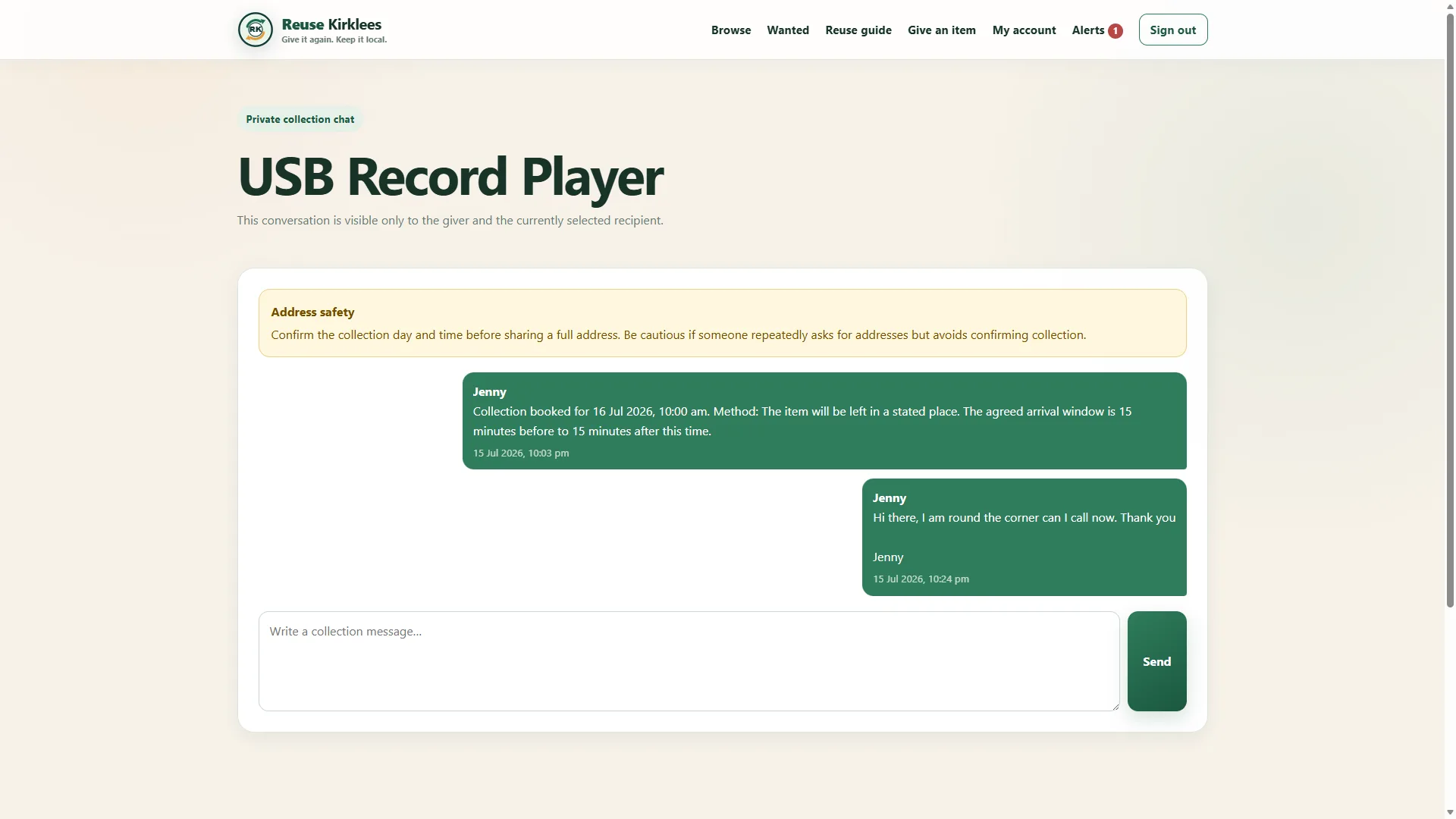
Once a recipient has been selected, the giver and collector can use the private collection chat. The conversation is limited to those two members and includes the booked collection details.
 1 / 17
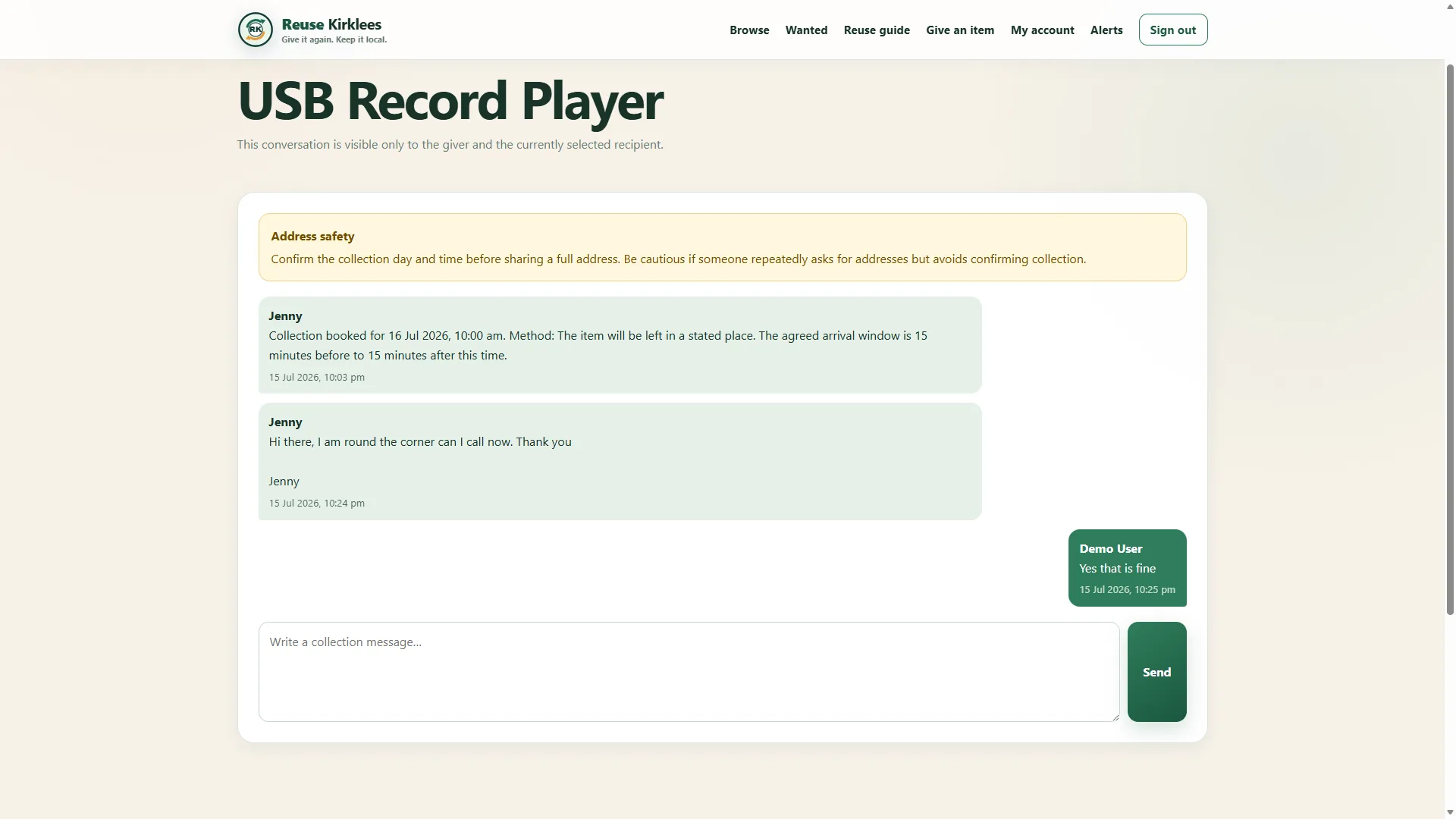
The chat can be used for genuine collection updates, such as saying that you are nearby or confirming that it is safe to call. Keep the conversation focused on the handover.
 1 / 17
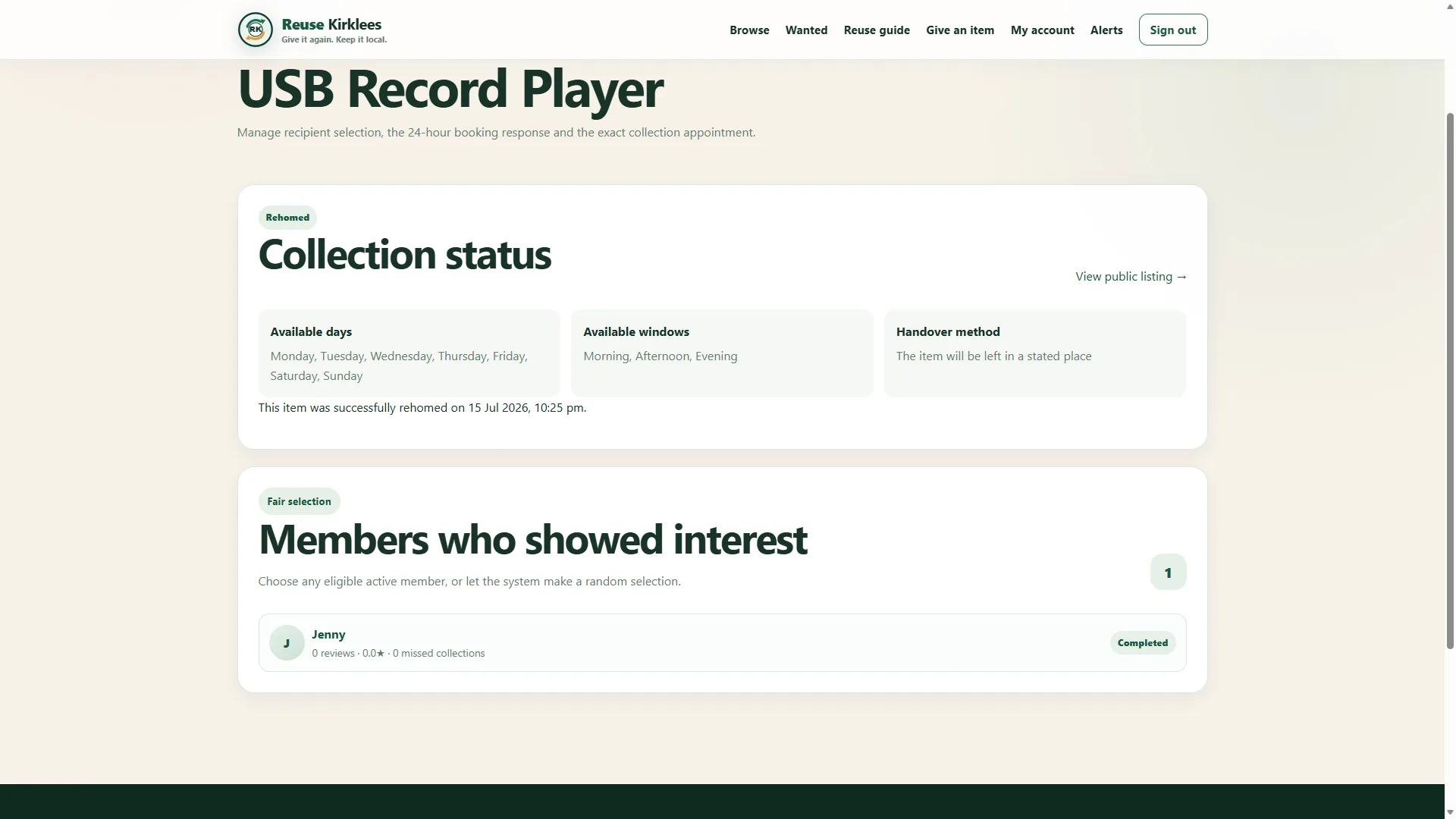
After the item has been collected, the giver marks the handover as complete. The management page records the rehomed date and shows the selected member as completed.
 1 / 17
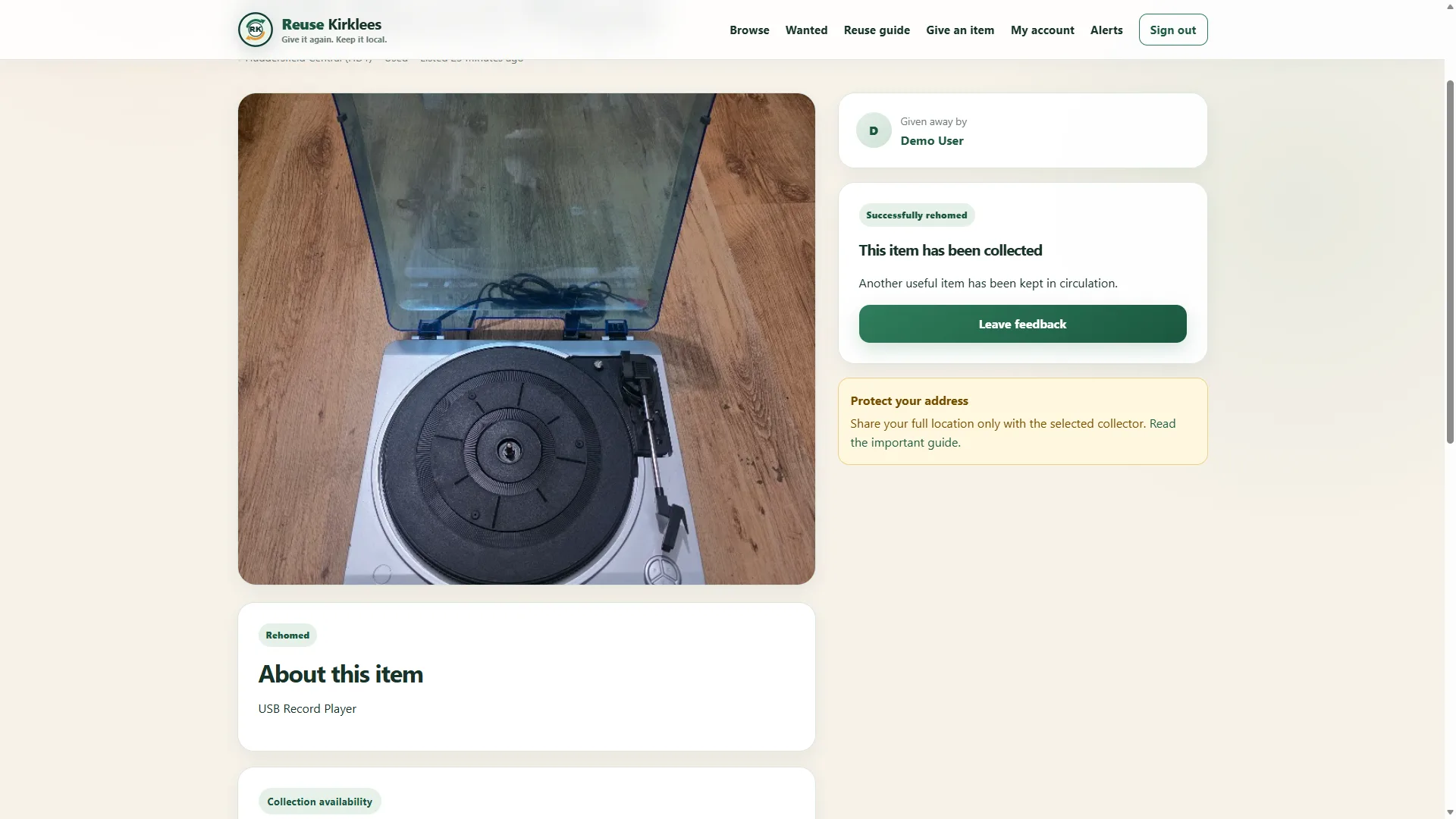
The listing is closed and clearly marked Successfully rehomed, so nobody else can register interest. The completed collection also unlocks the feedback option.
 1 / 17
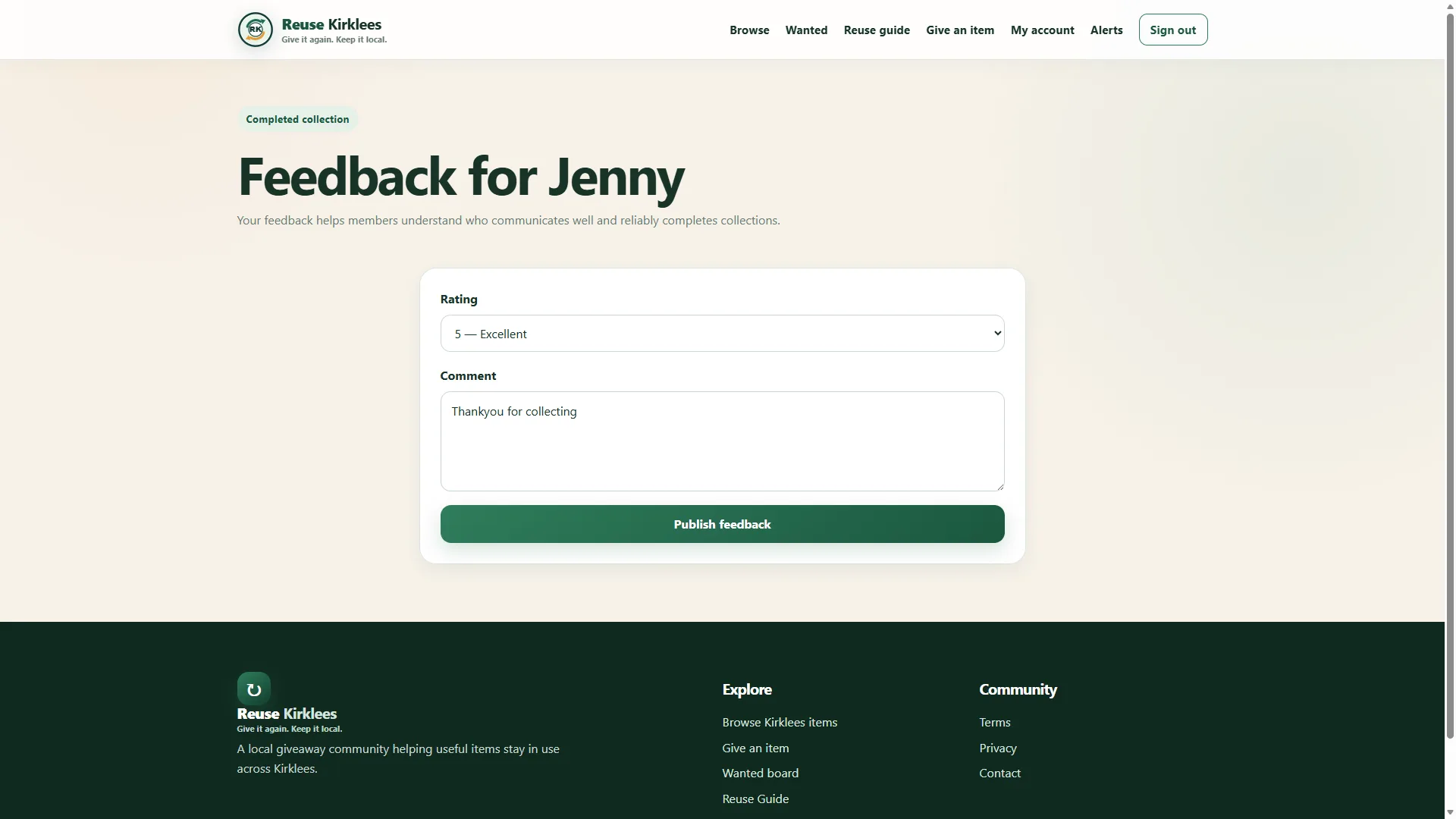
The giver can rate the collector and add a short comment about the completed handover. Feedback should be honest, useful and based only on the verified collection.
 1 / 17
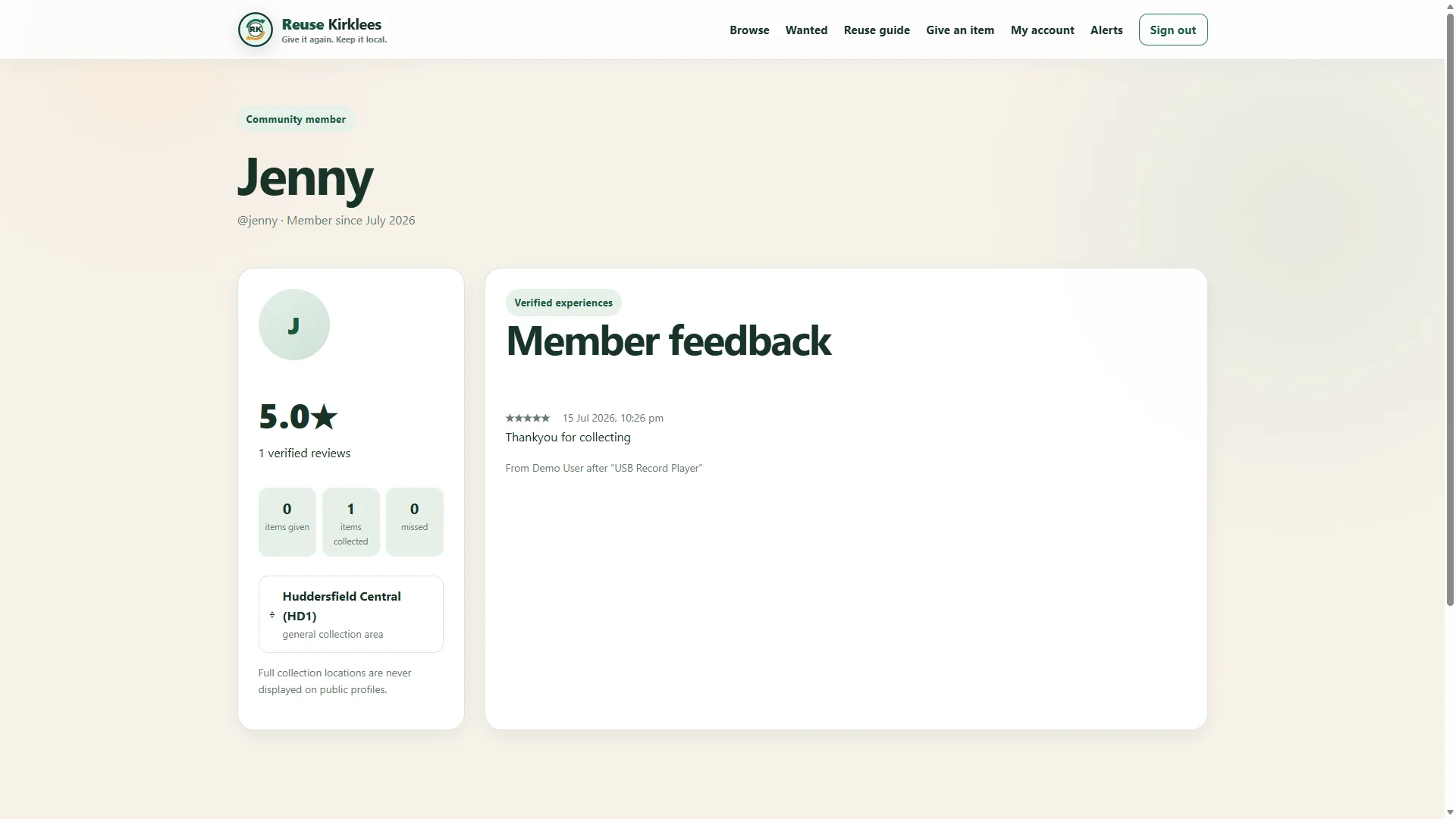
Published feedback appears on the member’s public profile alongside their rating and collection history. This helps other members recognise reliable collectors in future giveaways.
Create a free account to give away an item or register your interest in something nearby.

test